How to Make Your Resume ATS-Friendly: A Complete Guide for 2025
Learn how to optimize your resume for Applicant Tracking Systems. This comprehensive guide covers formatting, keywords, common mistakes, and testing strategies to help you get past the bots and land more interviews.
Priya Sharma
Content Lead

You've spent hours perfecting your resume. The formatting looks crisp, you've highlighted all your achievements, and you're confident it showcases your potential. You hit submit on 50 job applications and wait. And wait. Nothing but silence.
Here's the harsh reality: up to 75% of resumes are rejected before a human ever sees them. The culprit? Applicant Tracking Systems (ATS)—the software gatekeepers that scan, parse, and rank your resume before it reaches a recruiter's desk.
Whether you're applying to TCS, Infosys, Wipro, or dreaming of Google and Amazon, understanding how to optimize your resume for ATS is no longer optional—it's essential. This guide will show you exactly how to create a resume that passes the bots and impresses the humans.
What is an ATS and Why Does It Matter?
An Applicant Tracking System (ATS) is software used by companies to collect, scan, organize, and rank job applications. Think of it as a digital recruiter that works 24/7, filtering through hundreds or thousands of resumes to find the most relevant candidates.
In 2025, over 99% of Fortune 500 companies and most mid-sized organizations use some form of ATS. Popular systems include Workday, Taleo, Greenhouse, Lever, and iCIMS. Even many Indian IT giants and startups have adopted ATS to manage their massive campus recruitment drives.
How ATS Actually Works
When you submit your resume, the ATS performs several operations: it parses your document to extract information (name, contact, education, experience, skills), matches keywords against the job description, scores your resume based on relevance, and ranks you against other applicants. Resumes that don't meet a minimum threshold are automatically filtered out—regardless of how qualified you actually are.
"Your resume isn't just competing with other candidates—it's first competing with an algorithm. Win the algorithm, and you earn the right to compete with humans."
Why Resumes Get Rejected by ATS
Before we dive into solutions, let's understand the common reasons why perfectly good resumes fail the ATS scan:
Common ATS Rejection Reasons
| Issue | Why It Happens | Impact |
|---|---|---|
| Wrong file format | Using .pages, .odt, or image-based PDFs | Resume cannot be parsed at all |
| Complex formatting | Tables, columns, text boxes, headers/footers | Information gets scrambled or lost |
| Missing keywords | Not matching job description terminology | Low relevance score, auto-filtered |
| Graphics and icons | Using images for contact info or skills | ATS cannot read image content |
| Unusual section headers | Creative names like "My Journey" instead of "Experience" | ATS doesn't recognize the section |
| Fancy fonts | Decorative or uncommon typefaces | Characters may not render correctly |
The ATS-Friendly Resume Format
Now let's build your ATS-optimized resume from the ground up. Follow these formatting guidelines to ensure your resume gets parsed correctly.
Choose the Right File Format
Best choice: .docx (Microsoft Word) is the safest and most universally compatible format. Most ATS systems parse .docx files flawlessly.
Second choice: .pdf works if the job posting specifically accepts it. Ensure it's a text-based PDF (not a scanned image). Test by trying to select and copy text from your PDF.
Avoid: .jpeg, .png, .pages, .odt, or any image-based formats. These are either unreadable or poorly supported by most ATS.
Use a Simple, Single-Column Layout
While two-column resumes look modern and save space, they confuse many ATS parsers. The system may read across columns instead of down, jumbling your information. Stick to a clean, single-column layout with clear section breaks.
Stick to Standard Fonts
Use professional, widely-supported fonts: Arial, Calibri, Times New Roman, Georgia, Helvetica, or Cambria. Font size should be 10-12pt for body text and 14-16pt for headings. Avoid decorative fonts, and never use font colors other than black (light colors may not print or display correctly).
Use Standard Section Headers
ATS systems are programmed to recognize specific section names. Use these exact headers for best results:
Recommended Section Headers
| ✓ Use These | ✗ Avoid These |
|---|---|
| Contact Information | Get In Touch / Reach Me |
| Summary or Professional Summary | About Me / My Story |
| Education | Academic Journey / Qualifications |
| Experience or Work Experience | My Career Path / Where I've Been |
| Skills or Technical Skills | What I Bring / My Toolkit |
| Projects | Things I've Built |
| Certifications | Credentials / Badges |
Avoid Graphics, Tables, and Text Boxes
This is crucial: ATS cannot read images. This includes logos, headshots, icons (like envelope icons for email), skill bars or graphs, and infographics. Similarly, avoid tables for layout purposes, text boxes, and content placed in headers or footers (many ATS systems ignore these areas entirely).
Mastering ATS Keywords: The Secret to High Scores
Formatting gets your resume parsed correctly. Keywords get your resume ranked highly. Here's how to optimize your resume with the right keywords.
How to Extract Keywords from Job Descriptions
Every job description is a goldmine of keywords. Here's a systematic approach:
Step 1: Copy the job description into a document. Highlight all technical skills, tools, and technologies mentioned (e.g., Python, SQL, AWS, Agile, REST APIs).
Step 2: Identify soft skills and competencies (e.g., communication, problem-solving, teamwork, leadership).
Step 3: Note industry-specific terminology and job titles (e.g., "Software Development Engineer," "Full Stack Developer").
Step 4: Look for action verbs they use (e.g., "develop," "implement," "collaborate," "optimize").
Step 5: Count frequency—keywords mentioned multiple times are higher priority.
Strategic Keyword Placement
Don't just stuff keywords randomly. Place them strategically in your Professional Summary (top of resume, include 3-5 key skills), Skills Section (match exact terminology from JD), Experience Bullets (use keywords in context, not just lists), and Project Descriptions (include technologies and methodologies used).
Keyword Optimization Tips
Use both acronyms and full forms: Write "Search Engine Optimization (SEO)" the first time, then use either form. This covers both search variations.
Match exact phrasing when possible: If the JD says "data visualization," don't write "visualizing data." ATS may not recognize variations.
Be honest: Only include skills you actually have. You'll need to back them up in interviews.
Section-by-Section ATS Optimization Guide
Contact Information
Place your contact information in the main body of the document (not in the header). Include your full name, phone number, professional email address, LinkedIn URL (customized), and city/state (full address not necessary). Avoid graphics or icons—just plain text.
Professional Summary
Write 2-4 sentences that include your target job title, years of experience (or "recent graduate"), top 3-5 relevant skills, and a notable achievement or career highlight. This section is prime real estate for keywords.
Example: "Results-driven Computer Science graduate with expertise in Python, Java, and SQL. Completed 3 internship projects focused on full-stack web development using React and Node.js. Strong foundation in Agile methodologies and collaborative problem-solving."
Skills Section
Create a dedicated skills section with clear categories. Use comma-separated lists or simple bullet points. Avoid skill bars, graphs, or rating systems—ATS can't interpret "4 out of 5 stars" in Python.
Example format: Programming Languages: Python, Java, JavaScript, C++ | Frameworks: React, Node.js, Django | Databases: MySQL, MongoDB | Tools: Git, Docker, AWS | Soft Skills: Team collaboration, Problem-solving, Communication
Experience Section
For each role, include: Job Title, Company Name, Location, Dates (Month Year – Month Year format). Follow with bullet points describing your responsibilities and achievements. Start each bullet with a strong action verb and include quantifiable results where possible.
Weak: "Responsible for testing software"
Strong: "Developed and executed 50+ test cases using Selenium, reducing bug escape rate by 30%"
Education Section
Include: Degree name (spelled out: "Bachelor of Technology" not just "B.Tech"), Major/Specialization, University name, Graduation date (or expected date), GPA (if above 7.0/10 or 3.0/4.0), and relevant coursework (optional, good for freshers).
Common ATS Mistakes to Avoid
Top 10 ATS Resume Mistakes
Using creative templates with columns, tables, or graphics
Submitting image-based PDFs or scanned documents
Placing contact information in headers or footers
Using icons or images instead of text (envelope icon for email, etc.)
Creating custom section headers that ATS doesn't recognize
Using skill bars or graphical ratings instead of text lists
Forgetting to include both acronyms and spelled-out terms
Submitting the same generic resume for every application
Using light-colored or decorative fonts that are hard to parse
Leaving out keywords because they seem "obvious"
How to Test Your Resume for ATS Compatibility
Before submitting your resume, test it using these methods:
The Plain Text Test: Copy your entire resume and paste it into a plain text editor (Notepad). If the information is scrambled, out of order, or missing, your resume isn't ATS-friendly.
AI Resume Analysis: Use tools like SpectraSeek's AI Resume Builder to analyze your resume against specific job descriptions. Get instant feedback on keyword match rate, formatting issues, and improvement suggestions.
Keyword Match Check: Compare your resume against the job description. Aim for at least 60-70% keyword match for the best chances of passing ATS filters.
ATS Trends for 2025: What's Changing
ATS technology is evolving. Here's what to expect in 2025:
AI-Powered Parsing: Modern ATS systems use AI to understand context better. They can now recognize synonyms and related skills, but exact keyword matches still perform best.
Skills-Based Hiring: Companies are shifting focus from job titles to skills. Your skills section is more important than ever.
Integration with LinkedIn: Many ATS now pull data from LinkedIn profiles. Ensure your resume and LinkedIn are consistent and optimized.
Video Resume Integration: Some platforms now accept video introductions alongside traditional resumes. The text resume remains essential for ATS, but video adds a human touch.
Your ATS Resume Checklist
Before you submit your next application, run through this checklist:
ATS-Friendly Resume Checklist
- File format is .docx or text-based .pdf
- Single-column layout with no tables or text boxes
- Standard fonts (Arial, Calibri, Times New Roman)
- Section headers use conventional names (Education, Experience, Skills)
- No graphics, icons, images, or skill bars
- Contact information is in the main body, not header/footer
- Keywords from job description are included naturally
- Both acronyms and full forms are used (SQL, Structured Query Language)
- Dates are in consistent format (Month Year)
- Resume passes the plain text copy-paste test
- Tailored for the specific job (not generic)
- Proofread for spelling and grammar errors
Key Takeaways
- 75% of resumes are rejected by ATS before reaching human recruiters—optimization is essential
- Use .docx format, single-column layout, and standard fonts for best parsing results
- Extract keywords directly from job descriptions and place them strategically throughout your resume
- Avoid graphics, tables, headers/footers, and creative section names that confuse ATS
- Test your resume by pasting it into plain text—if it's scrambled, it's not ATS-friendly
- Tailor your resume for each application; generic resumes score lower
- Use AI tools like SpectraSeek to analyze and optimize your resume against specific job descriptions
Ready to Create Your ATS-Optimized Resume?
Stop guessing whether your resume will pass ATS filters. SpectraSeek's AI Resume Builder analyzes your resume against real job descriptions, identifies missing keywords, highlights formatting issues, and provides actionable suggestions to boost your match score. Join thousands of students who've improved their callback rates.
Analyze My Resume Free →See also
The Interview Readiness Gap: A Simple Framework for TPOs · The 2026 Placement Season Is Here. But Are Students Ready? · Master the STAR Method: Your Secret Weapon for Behavioral Interviews | …
Tags
Related Posts
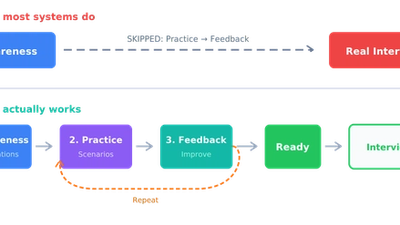
The Interview Readiness Gap: A Simple Framework for TPOs
Why most placement preparation programs fail—and how to fix them. A data-driven framework showing why students who complete 10+ mock interviews are 3x more likely to succeed, and how TPOs can audit and close the Practice + Feedback gap at scale.
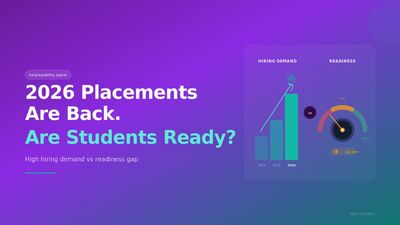
The 2026 Placement Season Is Here. But Are Students Ready?
With only 42.6% of Indian graduates employable and youth unemployment near 40%, the 2026 campus placement season exposes a critical preparation gap. Here's what the data reveals and what students, universities, and placement cells need to know.
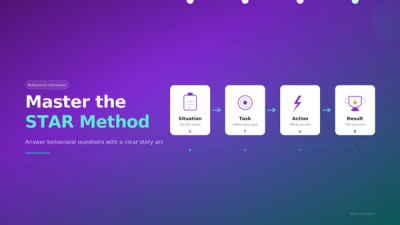
Master the STAR Method: Your Secret Weapon for Behavioral Interviews | SpectraSeek
Learn how to structure your answers using the STAR method and impress interviewers at top companies like Google, Amazon, and TCS. This comprehensive guide includes real examples and practice exercises.